
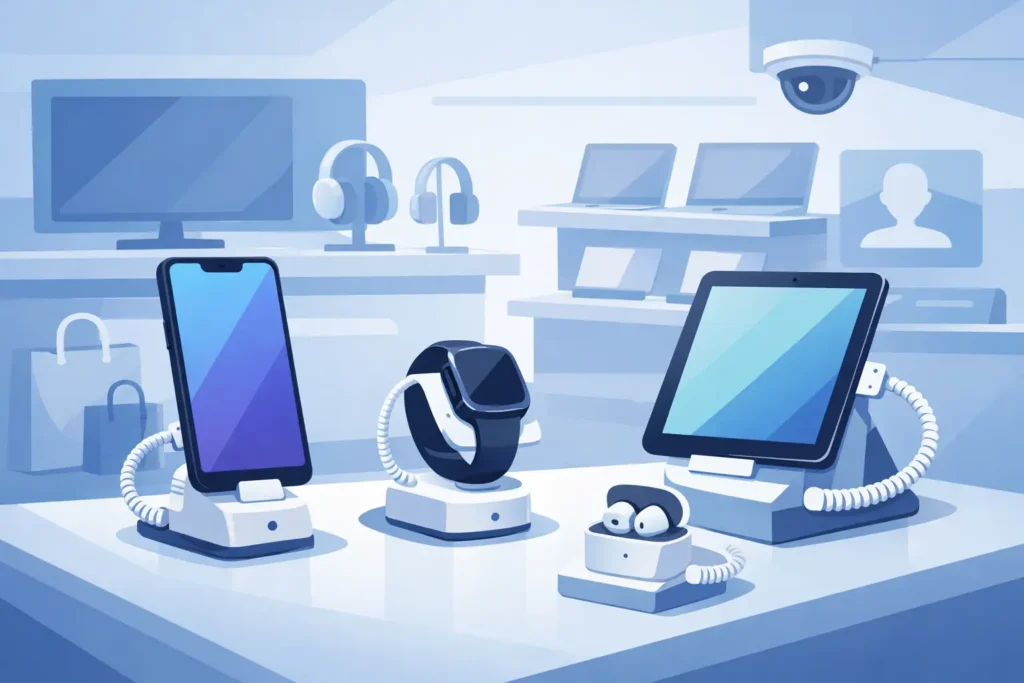
A shopper reaches for a premium smartphone, tests the screen, compares the camera housing, and feels the weight in hand. That moment can help close a sale – or create a loss if the display is poorly secured. Electronics store security displays need to do both jobs at once: protect high-value merchandise and keep the product accessible enough to support buying decisions.
For electronics retailers, this is not a small detail in store planning. Security displays directly affect shrink, product presentation, customer engagement, staff workload, and the overall credibility of the sales floor. When the display solution is right, customers can interact with key products confidently, associates spend less time managing avoidable risks, and the store presents itself as organized and current. When the solution is wrong, products look overprotected, cluttered, or vulnerable.
What electronics store security displays need to achieve
In most electronics environments, the fixture is not just a holder. It is part of the selling system. Phones, tablets, smartwatches, headphones, gaming accessories, and small premium devices all need different levels of access and protection. A display that works for boxed accessories may fail completely for a live demo smartphone.
The core requirement is controlled interaction. Customers need enough access to examine the product, but not enough freedom to remove, damage, or swap it. That balance matters because electronics purchases are tactile and comparison-driven. If the display blocks handling too aggressively, conversion can suffer. If the display is too open, loss exposure rises quickly.
Good security display planning also supports visual order. Electronics departments can become messy fast because cables, power feeds, locking components, and product information all compete for limited space. A well-designed system keeps security elements discreet, preserves clean sightlines, and maintains brand presentation standards.
Matching security displays to product category
Not every high-value item should be displayed the same way. Product size, theft risk, demo requirement, and restocking frequency all influence the right solution.
Smartphones and tablets
These products usually need powered display positions with hands-on access. Customers expect to test screens, navigate menus, and compare models directly. In this case, electronics store security displays often combine powered bases, recoilers, alarmed tethers, and secure mounting hardware. The best setups keep cables managed and the product centered, without making the fixture look heavy or technical.
For premium mobile devices, appearance matters almost as much as protection. If the stand is oversized or visually intrusive, it can cheapen the presentation. Slimmer security hardware often costs more, but it supports a better showroom effect.
Smartwatches, earbuds, and small accessories
These are high-risk items because they are compact, easy to pocket, and often displayed in volume. Full open access is rarely the right choice. Depending on the product, enclosed display cases, locked acrylic presentations, or tethered demo positions may be more practical.
The trade-off is visibility versus control. Enclosed units protect inventory better, but they limit touch and trial. For launch items or hero products, one live secured sample with boxed stock protected behind the counter is often more efficient than exposing multiple units on open display.
Laptops and gaming hardware
These products need broader surfaces, stronger anchoring, and clean power integration. The display has to support active demonstration while preventing quick grab-and-run theft. Heavier devices also place more stress on mounts and cables, so the hardware quality matters. Low-cost security components may look acceptable at installation, then loosen under daily customer handling.
Boxed accessories
Chargers, memory cards, cables, controllers, and smaller electronics may not need tethered live displays at all. Pegboard security hooks, locked merchandising panels, controlled-access cabinets, and staff-assisted display sections often deliver better results. The point is to avoid overengineering low-engagement categories while still reducing easy theft.
Security should support selling, not fight it
One of the most common mistakes in electronics retail is treating security as a layer added after the merchandising plan is complete. In practice, the fixture, power supply, spacing, sightlines, and anti-theft method should be planned together.
A display that is technically secure but awkward to shop will create friction. Customers do not want to struggle with stiff tethers, blocked screens, or products mounted at poor viewing angles. Sales associates do not want constant false alarms, difficult resets, or crowded fixtures that slow assisted selling.
This is why store teams should assess security displays in real operating terms. Ask how easily staff can reset a product after a demo, replace a damaged cable, clean the unit, restock adjacent merchandise, and manage busy periods. A fixture that looks impressive in a specification sheet may become a maintenance problem on the sales floor.
Key features that make displays more effective
The most effective electronics security display systems tend to share a few characteristics. They provide stable product positioning, integrated or concealed cable management, reliable alarm response, and enough flexibility to fit different device sizes without looking improvised.
Power integration is especially important for live demo products. Dead screens reduce engagement and make the store look neglected. At the same time, visible loose wiring weakens the presentation and creates more opportunities for damage. The fixture should keep devices charged while maintaining a clean front-facing appearance.
Modularity also matters. Electronics assortments change quickly. If every fixture is designed around one exact model, updates become expensive and disruptive. Adjustable display bases, replaceable mounts, and adaptable security components allow retailers to refresh categories without rebuilding the entire display run.
Durability should not be overlooked. In high-traffic stores, display hardware is used constantly by both shoppers and staff. Commercial-grade materials and secure mounting points are not optional. A bent arm, peeling base, or exposed fixing point sends the wrong message in a category where customers expect precision and quality.
Store layout and risk zones
Even strong fixtures perform better when the surrounding layout supports security. Entry-adjacent areas, low-supervision corners, and perimeter zones with poor sightlines often carry higher theft risk. Placing premium live-demo products in these locations can create avoidable exposure.
A better approach is to position the most interactive, highest-value displays where staff visibility is strongest. That may mean central feature tables within monitored zones, wall displays near service counters, or branded islands with clear circulation around them. The display should invite engagement without creating blind spots.
Spacing matters too. Overcrowded electronics displays are harder to shop and harder to supervise. Customers need enough room to compare products comfortably, while staff need clear lines of sight to intervene quickly when necessary. In many cases, fewer display units with stronger presentation outperform dense merchandising that tries to show every SKU at once.
The value of a category-based display strategy
Security planning works best when buyers avoid one-size-fits-all decisions. An electronics retailer may need tethered demo solutions for smartphones, enclosed acrylic presentation for smaller premium accessories, locking cabinets for boxed stock, and branded display stands for promotional launches. Each display type serves a different commercial purpose.
That category-based approach also helps control costs. Not every product needs the highest-spec anti-theft system. Investment should follow risk level, product margin, and the need for customer interaction. Overspending on low-risk categories can be just as inefficient as under-protecting flagship items.
For project buyers, this is where a supplier with broader retail fixture experience becomes useful. The right recommendation depends on layout constraints, merchandising goals, power access, product mix, and installation conditions. A trade-focused partner such as JS Retail Displays can help align display type with store format instead of pushing a single generic solution.
What buyers should ask before specifying electronics store security displays
Before placing an order, it helps to clarify a few operational questions. Will the products be live and powered, or static? Is the goal open customer interaction, staff-assisted access, or primarily visual presentation? How often will models rotate? What level of theft risk exists by category and location? And how clean does the display need to look for the store’s brand position?
These questions prevent expensive mismatches. A luxury consumer electronics environment may prioritize minimal visible hardware and polished product presentation. A mass-market electronics chain may put more weight on durability, easy reset, and standardization across multiple branches. Neither approach is automatically better. It depends on the selling model.
The most effective electronics store security displays are the ones that feel intentional. They protect merchandise without making the store feel defensive. They support product testing without creating maintenance headaches. And they fit the wider retail environment rather than standing apart from it.
When security and merchandising are planned together, the display stops being just a protective measure. It becomes part of how the store sells confidence, quality, and control.