
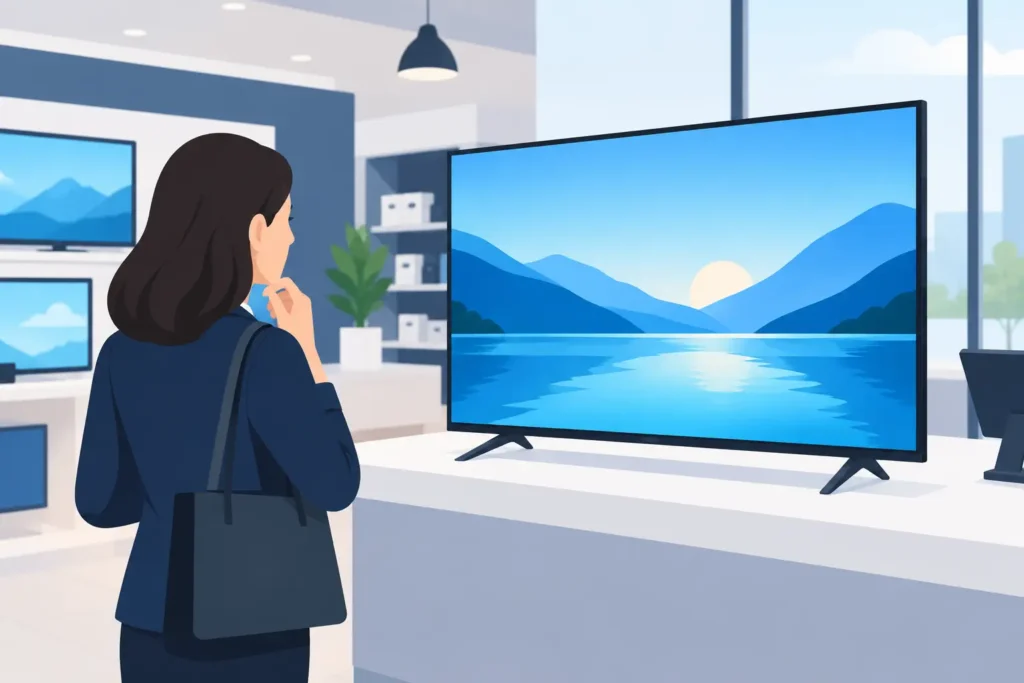
A commercial screen review should begin with the conditions on the sales floor, not with screen size alone. A display that looks sharp in a meeting room can become difficult to read near a storefront window, fail under extended operating hours, or create unnecessary service work after installation. For retailers, fit-out contractors, and project teams, the right commercial screen must support product visibility, brand presentation, and dependable day-to-day operation.
Commercial screens are used across grocery stores, electronics outlets, fashion shops, hotel reception areas, pharmacies, and promotional zones. They can advertise offers, guide shoppers, show product information, support menu boards, or strengthen branded areas. The best choice depends on where the screen will sit, how long it will run, what content it will show, and how it will be installed.
Commercial Screen Review: What Separates Business Displays
A commercial display is built for a different job than a consumer television. Consumer TVs are generally designed for home viewing, limited daily use, and easy access to power and controls. Commercial screens are specified for public environments where the display may operate for long hours, be mounted vertically, connect to a content system, and remain visible under changing light conditions.
The first difference is operating time. Many commercial screens are rated for 16/7 or 24/7 use. A 16/7 model may suit a store operating during standard retail hours, while a 24/7 model is a better fit for transport-facing locations, hotel lobbies, airports, hospitals, or stores with extended opening schedules. Using a screen outside its intended duty cycle can shorten panel life and create avoidable replacement costs.
Brightness is the second major distinction. Brightness is measured in nits. A standard indoor location with controlled lighting may perform well with a lower-brightness display, while a screen near an entrance, glass façade, or brightly lit mall corridor needs more output to remain readable. High brightness improves visibility, but it also increases power consumption and heat. The goal is not to buy the brightest screen available. It is to specify enough brightness for the actual location.
Commercial models also tend to offer better thermal management, stronger mounting compatibility, remote control features, and support for portrait orientation. These features matter when a display is installed above a promotional gondola, inside a window display, or as part of a multi-screen video wall.
Start With the Screen Location
Screen selection becomes easier when the installation area is clearly defined. Ask whether shoppers will view the display from one to three feet away, from across an aisle, or from a distance in a mall concourse. Viewing distance influences both screen size and content design. Small text and detailed product specifications may work on an interactive counter display, but they will not work on a promotion screen viewed from the end of an aisle.
The physical setting also affects the required specification. A screen mounted in a supermarket produce department faces different demands than a display in a fashion fitting area. Grocery environments may involve brighter lighting, longer operating hours, and frequent promotional updates. Fashion stores may prioritize portrait content, premium color presentation, and a clean integration with fixtures. Electronics retailers often need screens that demonstrate product features clearly while remaining secure around high-value merchandise.
Consider sightlines before finalizing the mounting point. Shelving, hanging signage, pillars, checkout queues, and shopper traffic can all block the display. A screen that is technically installed correctly but placed outside the natural shopper path will not deliver strong promotional value.
Indoor, Window-Facing, and High-Traffic Areas
For indoor screens away from direct sunlight, standard commercial digital signage displays are often sufficient. For window-facing applications, high-brightness panels are usually the more reliable choice. Reflections from glass and sunlight can make an ordinary screen appear washed out, even when the content itself is well designed.
High-traffic areas require attention to enclosure quality, cable management, and mounting security. In public-facing installations, exposed cables and consumer-style stands create both a safety concern and a poor visual impression. Commercial-grade wall mounts, ceiling mounts, floor stands, and kiosk enclosures should be selected alongside the screen, not as an afterthought.
Assess Image Quality for the Content You Will Show
Resolution matters, but it is not the only measure of image quality. Full HD may be suitable for many promotional screens, especially at moderate viewing distances. 4K becomes more valuable for larger displays, close-up viewing, high-detail product imagery, and multi-screen layouts where image clarity must remain consistent.
Color performance also matters for retail presentation. Food offers should look fresh and appealing. Fashion campaigns need accurate tones. Electronics displays need clean visuals that support premium product positioning. However, a highly detailed screen cannot compensate for poorly prepared content. Retail messaging should use clear product images, strong contrast, concise copy, and pricing that can be read quickly.
A useful commercial screen review should also consider orientation. Portrait screens are effective for fashion campaigns, store directories, and narrow wall spaces. Landscape screens suit menu boards, promotional video, and wide product messages. Some screens support either orientation, but the operating rating may differ when mounted vertically. Confirm that portrait installation is approved by the manufacturer rather than assuming any display can be rotated safely.
Check Content Management and Connectivity
A digital screen only performs as well as the content process behind it. For a single store, USB playback or a built-in media player may be adequate. For multi-location retailers, remotely managed content is usually more efficient. It allows marketing teams to schedule campaigns, update offers, and maintain consistent messaging across locations without sending staff to every site.
Before purchase, confirm how content will be loaded, scheduled, and monitored. Check whether the display has an integrated system-on-chip platform, requires an external media player, or connects to an existing digital signage network. Each option has trade-offs. Built-in platforms reduce hardware around the screen, while external players can provide more flexibility for advanced content, analytics, or integration requirements.
Connectivity should match the project plan. HDMI remains common for local playback, while network connectivity supports remote management. In locations where wireless signals are unreliable, a wired network connection may be the better operational decision. Teams should also plan for power access, data cabling, and service access before the fit-out is completed.
Do Not Overlook Mounting and Maintenance
A screen is only one part of the display system. The mount, enclosure, power supply, cable routing, and surrounding fixture all affect the final result. A flush wall mount can create a clean branded look, but it may limit access for maintenance if the screen is installed in a recessed wall. Pull-out mounts or service-friendly enclosures can simplify future work, particularly in high-volume commercial sites.
For freestanding digital displays, stability is essential. The base should suit the floor surface and foot traffic level, while the overall design should support the intended screen size without looking oversized or temporary. In retail environments, the stand may also need space for printed graphics, brochure holders, shelf components, or product samples.
Maintenance planning is especially valuable for chains and multi-site projects. Specify equipment that can be cleaned easily, access service points without dismantling nearby fixtures, and use consistent models across locations where possible. Standardization helps simplify content setup, spare parts planning, and staff training.
Compare Total Value, Not Purchase Price Alone
The lowest-cost screen can become the expensive option when it fails early, cannot run the required hours, or needs frequent on-site attention. A better comparison includes expected operating life, warranty coverage, brightness suitability, content management requirements, installation hardware, and energy use.
Commercial buyers should also avoid overspecifying. A 24/7, ultra-high-brightness display may not be necessary for a back-of-store staff communication screen. Conversely, a basic indoor display is unlikely to perform well in a bright storefront. The right solution is based on the application, not a single specification sheet.
For project teams sourcing screens alongside fixtures, signage, poster holders, and merchandising systems, coordinating these elements early produces a more organized retail environment. JS Retail Displays can support this approach by helping buyers align digital display requirements with the surrounding retail presentation and available space.
The most effective screen is the one shoppers can see clearly, staff can manage confidently, and your business can operate reliably. Define the location and duty cycle first, then choose the display system that supports the selling environment you are building.